Laravel Storage Link 404 on Nginx? The Production Fix
Why public/storage breaks on production Nginx, six diagnostic scenarios, Storage::url vs asset, and a deploy pattern that keeps the symlink on shared storage.
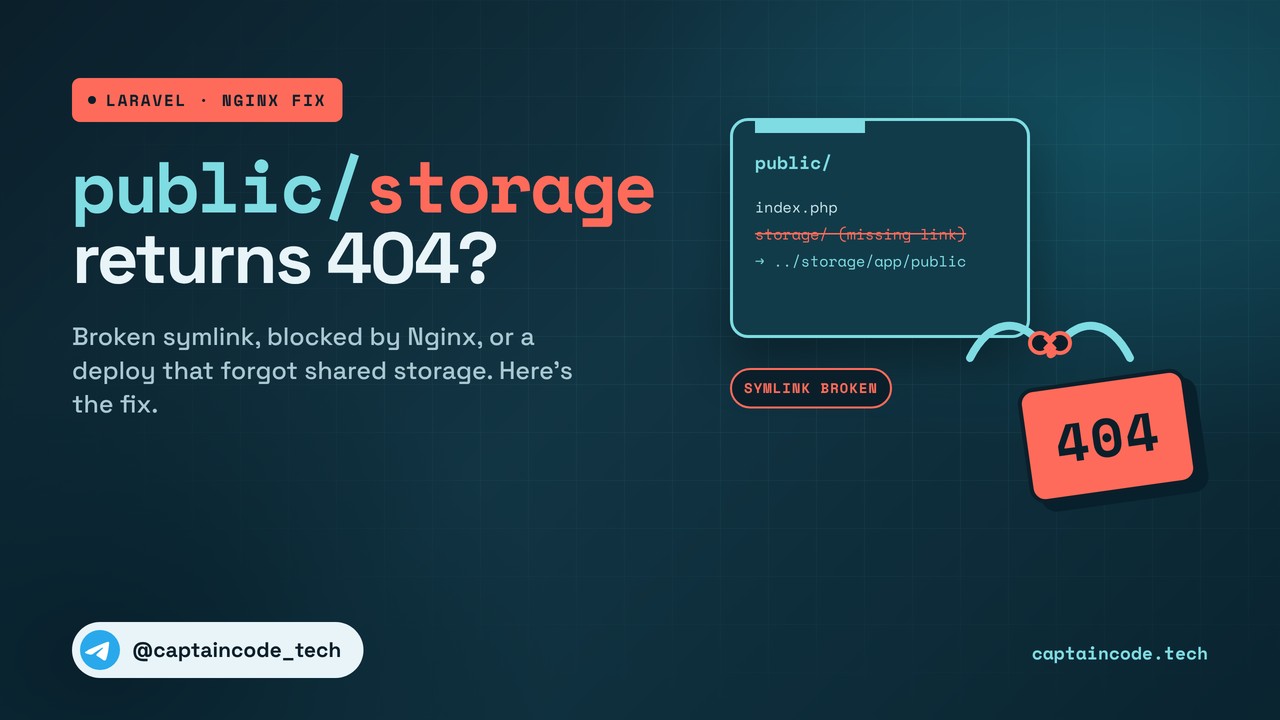
Locally everything looks fine. You upload a file, the image opens, the avatar shows up. Push the same project to a production box behind Nginx and URLs like /storage/avatars/user1.jpg start returning 404. Sometimes it only breaks after a fresh deploy, while the previous release still worked.
If you're hunting a Laravel storage link 404 on Nginx, it's usually one of these: the symlink was never created, Nginx is blocking it with disable_symlinks, the permission or owner is wrong, the document root does not point at public/, you're stuck on shared hosting, or a zero-downtime deploy never wired the link to shared storage. This article walks through each case with exact diagnostic and fix commands, compares Storage::url and asset, and ends with a deploy pattern that stops the problem coming back.
Short answer if you're in a hurry
From the project root (not from inside public/):
mkdir -p storage/app/public
php artisan storage:link --force
ls -la public/ | grep storage
# you want something like:
# lrwxrwxrwx ... storage -> ../storage/app/public
Then check Nginx:
sudo nginx -T 2>/dev/null | grep disable_symlinks
# should not be disable_symlinks on
sudo nginx -T 2>/dev/null | grep -E '^\s*root\s+'
# should end in .../public, not the project root
If the symlink looks right and you still get 404, use the diagnosis table below. The rest of the article unpacks every scenario.
What is public/storage anyway?
According to the Laravel filesystem docs, files that should be reachable from the web live in storage/app/public, and you create a symbolic link from public/storage to that path:
/var/www/your-app/
├── storage/
│   └── app/
│       └── public/          ← the real files live here
│           ├── avatars/
│           │   └── user1.jpg
│           └── uploads/
└── public/                  ← Nginx document root
    ├── index.php
    └── storage -> ../storage/app/public   ← symlink
When a user opens https://example.com/storage/avatars/user1.jpg, Nginx looks under public/storage/.... Because storage is a symlink, it finds the real file. If the symlink is missing, or Nginx refuses to follow it, you get 404.
php artisan storage:link reads the links array in config/filesystems.php:
'links' => [
    public_path('storage') => storage_path('app/public'),
],
Add more links there if you need them:
'links' => [
    public_path('storage') => storage_path('app/public'),
    public_path('images')  => storage_path('app/images'),
],
Fast diagnosis: which scenario is it?
Before you start clearing caches at random, use this table:
| Scenario | Signal | Diagnostic command | Healthy result | Failure result |
|---|---|---|---|---|
| 1. No symlink | /storage/... is 404 |
ls -la public/ | grep storage |
storage -> ../storage/app/public |
drwxr-xr-x ... storage (real directory) |
2. disable_symlinks on |
404 + log symlink not allowed |
sudo nginx -T 2>/dev/null | grep disable_symlinks |
off or absent |
disable_symlinks on |
| 3. Wrong permission/owner | 404 + log permission denied |
stat -c "%U:%G %a" storage/app/public |
e.g. www-data:www-data 755 |
root:root 700 |
| 4. Wrong document root | /storage/... 404 but / works |
grep root /etc/nginx/sites-enabled/* |
root .../public; |
root .../your-app; without /public |
| 5. Shared hosting | No symlink, File Manager only | No SSH | Manual symlink or cron | Cannot create the link |
| 6. Zero-downtime deploy | New release 404, previous OK | ls -la releases/ && readlink current |
public/storage points at shared |
Each release has its own link |
| 7. Two Docker containers | Correct symlink, still 404 | docker inspect on app and nginx |
storage volume mounted on both |
Mounted only on app |
Scenario 1: the symlink was never created (most common)
Diagnosis
ls -la /var/www/your-app/public/ | grep storage
If you see drwxr-xr-x ... storage, that is a real directory, not a symlink. You want:
lrwxrwxrwx 1 www-data www-data 23 Nov 3 12:00 storage -> ../storage/app/public
Fix
cd /var/www/your-app
mkdir -p storage/app/public
php artisan storage:link
If something already exists at public/storage and you get File already exists:
# if nothing important is inside:
rm -rf public/storage
php artisan storage:link

# or without a manual delete:
php artisan storage:link --force
Newer Laravel versions also accept --relative for a relative link. The same pattern works in a container entrypoint:
mkdir -p storage/app/public
php artisan storage:link --force || echo "storage:link failed"
Then verify the contents:
ls -la public/storage/
# should list whatever is in storage/app/public
One note for zero-downtime deploys: do not blindly run storage:link in every release if you keep a separate shared path. The link should point at shared storage, not at storage inside that release. Scenario 6 covers that.
Scenario 2: the symlink exists, but Nginx blocks it
Per the Nginx disable_symlinks docs, when the option is on, access is denied if any part of the path is a symbolic link.
sudo nginx -T 2>/dev/null | grep disable_symlinks
If you see disable_symlinks on:
server {
    # ...
    disable_symlinks off;
}
Then:
sudo nginx -t
sudo systemctl reload nginx
Nginx defaults to off, but some distros or hardened templates flip it to on.
Turning it off removes one defense against symlink attacks. Make sure root points only at your project's public/ directory, and that the app cannot upload outside storage/app/public or plant its own symlinks there.
Scenario 3: wrong permission or owner
ls -la storage/app/public/
stat -c "%U:%G %a" storage/app/public/
If the owner is root:root and the Nginx or PHP-FPM worker runs as www-data, the file cannot be read. Common cases:
root:root 700: the worker cannot enter the directory- correct owner, but file mode
600: others cannot read - owner
forge:forgewhile the worker iswww-data: group mismatch
Typical fix on Debian or Ubuntu:
sudo chown -R www-data:www-data /var/www/your-app/storage/app/public
sudo find /var/www/your-app/storage/app/public -type d -exec chmod 755 {} \;
sudo find /var/www/your-app/storage/app/public -type f -exec chmod 644 {} \;
(On some panels the user is www, not www-data. Use whichever user PHP-FPM actually runs as.)
If SELinux is enforcing (CentOS, RHEL, AlmaLinux):
getenforce
# Enforcing

sudo chcon -R -t httpd_sys_rw_content_t /var/www/your-app/storage/app/public
# or:
sudo setsebool -P httpd_read_user_content 1
Without the right context, even correct chmod values can still get blocked.
Test as the web server user:
sudo -u www-data cat /var/www/your-app/storage/app/public/avatars/user1.jpg | head -c 10
# you should see the first few bytes (JPEG or PNG magic bytes, for example)
Scenario 4: wrong document root
sudo nginx -T 2>/dev/null | grep -E '^\s*root\s+'
# or
grep root /etc/nginx/sites-enabled/*
You want:
root /var/www/your-app/public;
Not this:
# wrong: project root, missing /public
root /var/www/your-app;
If root points at the project directory, Nginx looks for /storage in the wrong place and returns 404, even when the homepage still works because of other rewrite rules. After fixing it:
sudo nginx -t
sudo systemctl reload nginx
Scenario 5: shared hosting (cPanel / Plesk)
On shared hosting you often have limited SSH, a fixed public_html document root, and either no usable php artisan storage:link or a PHP CLI binary in an odd path.
Option 1: manual symlink or cron
In the cPanel File Manager, open public_html. If storage exists as a normal directory, remove or rename it, then create a symlink to ../storage/app/public (one level above public_html, where your app's storage usually lives).
Or from cron:
cd /home/USER/your-app && /usr/local/bin/php artisan storage:link
Ask the host for the PHP CLI path; /usr/local/bin/php or /opt/cpanel/ea-php83/root/usr/bin/php are common.
Option 2: serve files through Laravel (last resort)
// routes/web.php
Route::get('/storage/{path}', function (string $path) {
    abort_unless(
        Storage::disk('public')->exists($path),
        404
    );

    return Storage::disk('public')->response($path);
})->where('path', '.*');
That path goes through PHP, is slower, hits middleware, and is risky if you do not constrain it carefully. Prefer a real symlink. Laravel is not designed for shared hosting; if the host will not allow one, talk to support or move to a VPS.
Scenario 6: zero-downtime deploy breaks the symlink
With Capistrano, Deployer, Envoyer and similar layouts you usually have:
/var/www/your-app/
├── current -> releases/20261103120000
├── releases/
│   ├── 20261102100000/
│   └── 20261103120000/
└── shared/
    └── storage/
        └── app/
            └── public/
If every release does this:
# wrong: relative link inside that release
ln -s ../../../storage/app/public "$RELEASE/public/storage"
new uploads land in the wrong place, or the new current no longer sees older files.
The right pattern is for public/storage to always point at shared storage:
SHARED_DIR=/var/www/your-app/shared
RELEASE_DIR=/var/www/your-app/releases/20261103120000

mkdir -p "$SHARED_DIR/storage/app/public"
ln -sfn "$SHARED_DIR/storage/app/public" "$RELEASE_DIR/public/storage"
ln -sfn "$SHARED_DIR/.env" "$RELEASE_DIR/.env"
In a simple Envoy task you use the same idea: create the shared path, then ln -sfn into public/storage inside the release. Uploads then stay visible across every release.
If you build the deploy script with GitHub Actions, we walk through it in the automated Laravel deployment with GitHub Actions guide. After switching releases, rebuild config and the other caches too; if .env changes are the part that bites you, see the Laravel .env changes and config:cache guide.
Scenario 7: Nginx and the app in separate containers
In Docker or Kubernetes stacks you often have one PHP-FPM container and a separate Nginx container. The symlink inside the app container can be correct, but if the storage volume is not mounted into Nginx, Nginx cannot reach the target and returns 404.
Diagnosis:
docker inspect <app_container> --format '{{json .Mounts}}'
docker inspect <nginx_container> --format '{{json .Mounts}}'
Simple docker-compose fix:
services:
  app:
    volumes:
      - app-storage:/var/www/html/storage
      - ./public:/var/www/html/public

  nginx:
    volumes:
      - app-storage:/var/www/html/storage:ro
      - ./public:/var/www/html/public:ro

volumes:
  app-storage:
The same volume must exist on both services. Prefer read-only (:ro) on Nginx. In Kubernetes the same idea is a shared PVC: writable for the app, read-only for Nginx.
And again: Nginx root should be only public/. If a user upload can create a symlink into system paths, leaving disable_symlinks off is a real risk.
Storage::url, asset and APP_URL
Sometimes the symlink is fine and the URL is wrong:
| Method | Typical output | When to use it | Common trap |
|---|---|---|---|
asset('storage/avatars/user1.jpg') |
https://example.com/storage/... |
In Blade | Wrong APP_URL produces the wrong host |
Storage::disk('public')->url('avatars/user1.jpg') |
same shape | In a controller or job | The public disk must be configured |
Storage::url('...') |
depends on the default disk | Only when default is public |
Changing the default breaks URLs |
| Hard-coded URL | fixed string | Never | A domain change means hunting strings |
In config/filesystems.php the public disk usually looks like this:
'public' => [
    'driver' => 'local',
    'root' => storage_path('app/public'),
    'url' => env('APP_URL').'/storage',
    'visibility' => 'public',
],
So APP_URL must match the host users actually open. If the site is on www and APP_URL is not, or the other way around, you can end up with 404s or odd redirects. After editing .env, rebuild the config cache.
If the front-end also falls apart after deploy, Vite may be involved; keep the Laravel Vite manifest not found guide next to this one.
A deploy script that does not break the symlink
#!/usr/bin/env bash
set -euo pipefail

REPO_DIR="/var/www/your-app"
SHARED_DIR="$REPO_DIR/shared"
NEW_RELEASE="$REPO_DIR/releases/$(date +%Y%m%d%H%M%S)"

git clone --depth 1 --branch main "$REPO" "$NEW_RELEASE"

mkdir -p "$SHARED_DIR/storage/app/public"
ln -sfn "$SHARED_DIR/.env" "$NEW_RELEASE/.env"
ln -sfn "$SHARED_DIR/storage/app/public" "$NEW_RELEASE/public/storage"

(
  cd "$NEW_RELEASE"
  composer install --no-dev --optimize-autoloader --no-interaction
  php artisan migrate --force
)

ln -sfn "$NEW_RELEASE" "$REPO_DIR/current"

(
  cd "$REPO_DIR/current"
  php artisan config:cache
  php artisan route:cache
  php artisan view:cache
)

sudo systemctl reload php8.3-fpm

# keep a few recent releases
cd "$REPO_DIR" && ls -dt releases/* | tail -n +6 | xargs -r rm -rf
Here public/storage is wired to shared storage once and reused across releases. You do not need storage:link inside each release, because you already created the correct link.
FAQ
1. php artisan storage:link says File already exists. What now?
Something named storage already exists under public/ (a file, a directory or an old link). If nothing important is inside it, run rm -rf public/storage and then php artisan storage:link. Or use php artisan storage:link --force. Laravel also ships storage:unlink when you need to remove the link.
2. The symlink looks correct, but the image is still 404. Why?
Four frequent causes: disable_symlinks on in Nginx, permission or SELinux issues, a wrong root or try_files setup, and a browser or CDN cache holding an old URL. Start with the diagnosis table at the top and read the Nginx error log.
3. What can I do on shared hosting without SSH?
In the cPanel or Plesk File Manager, remove the real storage directory inside public_html and create a symlink to ../storage/app/public. If the File Manager will not create symlinks, use cron with the correct PHP CLI path. Serving files through a Laravel route is a last resort and a poor fit for production.
4. Why does the link break after every deploy?
Because the deploy script creates a fresh symlink inside each release that does not point at shared storage. public/storage should always point at a shared path such as shared/storage/app/public, so uploads survive across releases.
5. In Docker with separate Nginx and app containers, how should the symlink work?
A symlink inside the app container is not enough. The storage volume must also be mounted into the Nginx container (preferably read-only). Otherwise Nginx never reaches the real file and /storage/... returns 404.
One-line summary: make sure public/storage is a symlink to storage/app/public (or the shared equivalent), Nginx is allowed to follow it, permissions are correct, the document root is public/, and atomic deploys point the link at shared storage.
If you'd rather not wrestle with Nginx, deploys and permissions yourself, we can set up your Laravel server and look after the project. Details are on the website security and maintenance page, and you can send us the project from there.
Got a question or stuck somewhere? Ask in the comments.
Comments
Join the discussionNo comments yet. Be the first to comment.